Affiliate links: Type & Paper may earn a commission if you buy through these Creative Fabrica links. Product previews are credited to their designers.

The Christmas card edit
A few words.
A whole holiday mood.
The front of a Christmas card gives a short greeting room to become the design. That makes the choice different from a tiny gift tag: you can use a larger heading, a deliberate line break and more space around the lettering.
These four fonts offer distinct approaches, from a restrained serif to a handwritten greeting. The images are the designers’ original previews. Compare the letter shapes first, then use the product-page preview on Creative Fabrica to check your own greeting where text input is available.
Compare the four greetingsChoose by your project
What should the card feel like?
01 / Let the words do the decorating
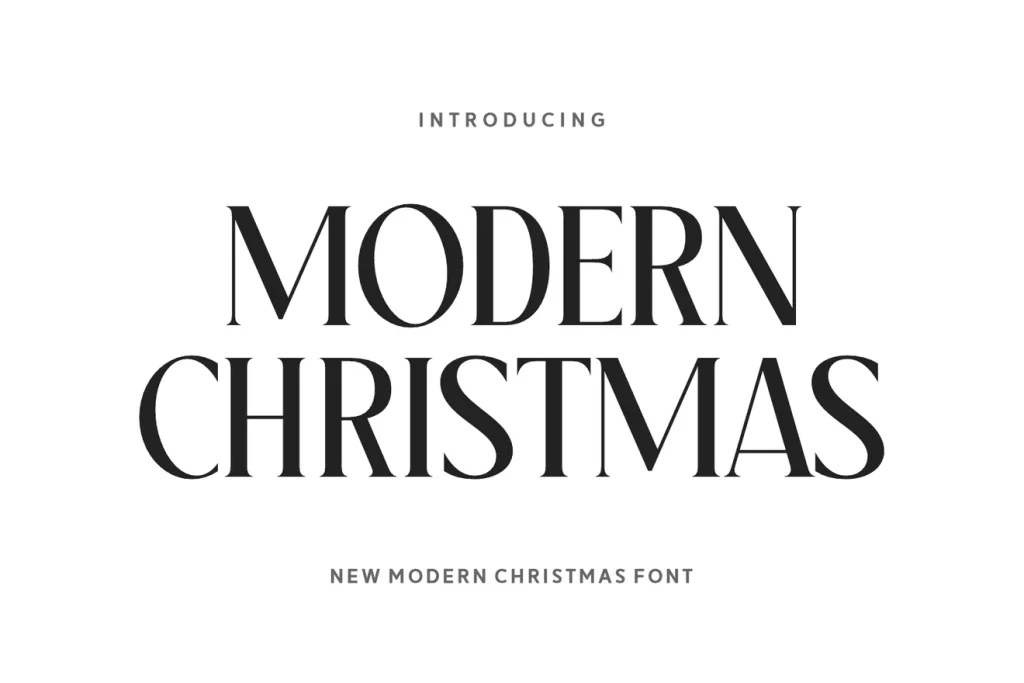
Modern Christmas
Modern Christmas is the restrained option here. Its upright serif forms and strong contrast give the greeting a formal, editorial quality. The plain cover specimen shows how much a short phrase can achieve without a wreath, a snowflake border or a metallic effect.
For a folded card, we would try a centred two-line greeting with generous margins. Keep the family name smaller and separate from the main words. On a photo card, place the lettering on a clear panel so the fine strokes do not compete with faces or a busy background.
- Use it for
- Classic card fronts, a restrained family greeting and larger formal holiday headings.
- Keep in mind
- Fine lines deserve a proof at the finished size. Save this display treatment for the front; a longer message inside the card needs a more comfortable reading style.

02 / A more nostalgic voice
Christmas Twinkles
Christmas Twinkles has softer, more characterful serif shapes than the first option. The original greeting preview places them in a rich red holiday scene, a useful direction when you want the card to feel warm and familiar rather than minimal.
Try the greeting as the main block on the front, with one small personal line below it. You can borrow the idea of a strong colour contrast without copying all the ornaments in the image. Compare the lettering in one flat colour before adding any dimensional treatment.
- Use it for
- Traditional festive cards, a nostalgic short greeting and bold seasonal headings.
- Keep in mind
- The golden, shaded appearance is part of the designer’s artwork. A font supplies letter shapes; the colour, texture and shadows are choices made in the layout.

03 / Give a simple card some bounce
Christmas Chic
Christmas Chic brings wider slab-like serifs and a playful rhythm. It is a good direction for a cheerful card that needs more substance than a thin script but less formality than a classic invitation-style heading.
We would use a short greeting over two or three lines and leave a clear border around it. The designer’s card examples show how this type of lettering can sit with illustration. If you add your own drawing, make either the drawing or the greeting the dominant element.
- Use it for
- Illustrated family cards, cheerful children’s greetings and bold short messages.
- Keep in mind
- Inspect the alternates if you want a particular decorative letter. The shapes in a finished specimen may use options beyond the default characters.

04 / A little movement in the message
Jolly Holly Christmas
Jolly Holly Christmas gives the greeting the movement of handwriting. The loops and long connecting strokes suit a short, personal message, especially when the card has a quiet background and the lettering can stay fairly large.
Try “Merry Christmas” as the main gesture, then put a surname or a short sign-off underneath in a simple supporting face. Avoid expanding the space between connected letters to fill the width. Give the complete words more room instead, or change the line break.
- Use it for
- Personal greetings, a short handwritten-style card front and a small name accent.
- Keep in mind
- Check the exact greeting in Creative Fabrica’s text preview. Capital loops and descending strokes need enough space between lines, particularly when you add a second name.
Make the choice useful
Choose the front before designing the inside.
Before downloading: check the greeting on Creative Fabrica.
Open a font using its button above and look for “Try this font”. Where that field is available, enter your greeting and family name, including any accents or punctuation. Otherwise inspect the specimen and glyph chart. Review the current download offer on that product page.
After downloading: make one complete folded card.
Install the font and build the card in your design application. Set the page to the final folded size, include the fold and keep the greeting away from the trim. Print one proof before making the batch; a full-screen cover can hide cramped margins.
Give the message inside a different job.
Use the decorative font for the greeting and choose a simpler face for a longer note. Match one colour or alignment between the front and inside so the card feels connected without repeating the largest display lettering on every line.
The images are the designers’ original product previews. Project and styling suggestions are our editorial ideas. Check the original listing for the available characters, current offer and license.
Back to the shortlist